Volver a Mods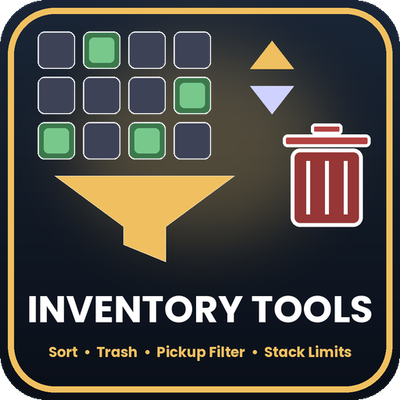
Astro's Inventory Tools
Sort your inventory, delete junk with a trash bin or slot grid, and only pick up the items you want. Includes stack limits and one simple menu: type /it.
Quality of Life
Acerca de este Mod
Astro's Inventory Tools
Sort your inventory, delete junk without dropping it, and choose what you pick up, all from one simple menu. Open it with /it. Built from scratch for Hytale, and made for Hytale 0.7.5.
FEATURES
- Auto-sort: merges partial stacks and sorts your storage. Sort once with a click, or turn on auto-sort to keep your inventory tidy all the time.
- Pickup filter: only pick up what you want. Your list is always shown on screen. Click an item in your inventory to add it, click an entry in the list to remove it. Items already covered by your list are marked with a star.
- Three filter modes: Only these (pick up just your list), Not these (pick up everything except your list), or Off.
- Quick delete: delete the item in your hand with one click or /trash.
- Delete grid: your hotbar and storage as buttons. Click a slot to select it, then press Delete. Two steps, so no accidents.
- Trash bin: a chest-style window. Drag items in, close it, and everything inside is deleted.
- Undo: bring back the last deleted item, or everything the last trash bin deleted.
- Stack limits: raise stack sizes for the whole server with a multiplier (x2, x5, x10, x50), or set a limit for one item (100, 250, 500, 999). Original limits are remembered, so Reset puts everything back.
- Settings menu: every option in one place, saved per player.
- Per-player settings: your filter and auto-sort are yours alone and are saved between sessions.
QUICK START
- Put InventoryTools-1.0.0.jar in your Mods folder and enable it.
- Start the world and type /it to open the menu.
- Use "Choose items to pick up" to build your filter, or press Sort now to tidy your inventory.
COMMANDS FOR PLAYERS
- /it (also /invmenu, /invtools): open the settings menu
- /sort: sort your inventory now
- /autosort: turn auto-sort on or off
- /trash: delete the item in your hand
- /trash --slot <n>: delete the stack in storage slot n
- /trash --slot <n> --hotbar: delete the stack in hotbar slot n
- /trash --undo: restore the last deleted item
- /trashbin (also /bin): open the trash bin
- /trashbin --undo: restore what the last bin deleted
- /trashgrid: open the delete grid
- /pickupfilter add <name> (also /pf): add a word to your filter
- /pickupfilter remove <name>: remove a word
- /pickupfilter list: show your mode and list
- /pickupfilter mode whitelist|blacklist|off: choose how the list is used
- /pickupfilter clear: empty the list
COMMANDS FOR ADMINS
- /stacklimit multiplier <1-100>: stack limit multiplier for every stackable item (1 = off)
- /stacklimit set <name> <limit>: any item with that name in its id stacks to the limit (up to 9999)
- /stacklimit remove <name>: remove one item limit
- /stacklimit list: show the multiplier, item limits and last result
- /stacklimit reset: restore the game's normal limits
PERMISSIONS
- inventorytools.stacklimits: change stack limits (server operators have it)
NOTES
- Not every part has been tested in a live game yet. The trash bin window in particular is new. If something looks wrong, please report it along with your game log.
- Stack limits change the whole server (in singleplayer, your world). With the defaults (x1, no item limits) this mod does not touch any stack size.
- Do not run stack limits together with another stack-size mod such as Overstacked or StackWise. Pick one.
- Undo history is kept in memory only and is lost when the server restarts. Items inside an open trash bin are lost if the server crashes before you close it.
- Item names on the filter and delete grids are shortened to a few letters. Check the status line before you delete.
- Hytale mods can't bind keys, so everything is a command or a menu.
Made by Astro.
ENJOY
Información
¿Te gusta este mod?
No olvides visitar la página oficial para dar soporte a los creadores.
Ver en CurseForge